It all starts with a few simple questions
Create a professional website for your business in minutes.
Tell us about your business, your services, and what sets you apart. Webfolio turns your answers into a five-page website with ready-written copy, images, and online booking. Make it your own, then publish when you’re ready.
Try it free for 14 days. No credit card required.

Fictional example illustrating what you can create with Webfolio.
A few answers are all it takes to get your website off the ground.
You’ll usually have a first version to explore within 10–15 minutes. Then fine-tune the wording, add your photos, and check the details before going live.
- 01
Tell us about your business
Tell us what you do, choose the services you offer, and add your contact details. Webfolio guides you through each step to help you cover the essentials.
- 02
See your website take shape
Your answers become a five-page website that introduces your business, your services, and your practical details. Suggested copy and illustrations give you a head start.
- 03
Make it yours and publish
Choose your colours, add your photos, and review your content. Publish on your Webfolio address or your own domain, then update your website whenever you need to.
Tell us what you do. Webfolio turns it into a website.
You know what you bring to your clients. Webfolio helps you put it across clearly online. Answer a few questions and watch your pages take shape, with organised service listings and suggested copy and images. Then make it feel like your business.
- 01
Answer simple questions about your business.
Start with your business name and what you do. A personal trainer and a dietitian? Add both: Webfolio suggests services for each profession. Select the ones you offer and add any that are missing.
Next, add the practical details your future clients will need:
- Where you work: at your premises, at your clients’ locations, or remotely.
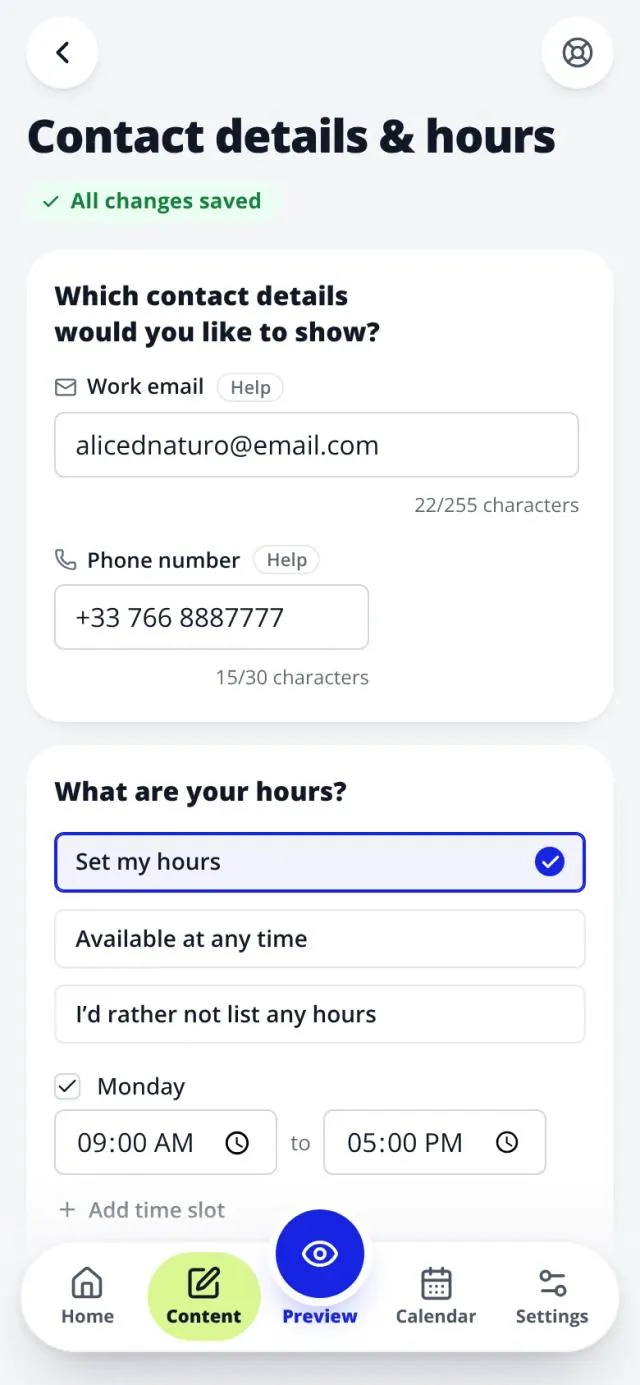
- Your hours and the contact details you want to display.
- How you’d like to introduce yourself: as “I”, as “we”, or using your business name.
Then choose your colours, main image, and a few layout preferences. The preview shows you the result straight away. Want to keep moving? Use the suggested settings and adjust them later.
At every step, you know what to add and what comes next. Examples, suggestions, and checks help you along the way. You can go back and change your answers without starting again.
More than one profession? One website can cover them all. Each part of your business has its own services, descriptions, prices, and durations, so visitors can easily understand everything you offer.
- 02
Start with a website that already has structure, words, and images.
While you answer the questions, Webfolio starts preparing your website. Your details come together across five pages: Home, Services, About, Gallery, and Contact. You have a starting point you can see and make your own:
- An introduction to your business, drafted from your answers.
- Services organised by profession, with suggested descriptions.
- Suggestions for explaining your values and answering common questions.
- Illustrations you can keep or replace with your own photos.
- Your hours, location, and contact details where visitors need them.
Focus on what you want to say instead of putting every page together yourself. Webfolio also prepares page titles, descriptions, and the other technical SEO essentials. Review the content, confirm your services and prices, and add your personal touch.
- 03
A website that feels like you, and that you can update yourself.
Add your photos, tweak a description, or change the colours: a few edits are enough to make your first version feel like yours. When you’re happy with it, publish on your Webfolio address or connect your own domain.
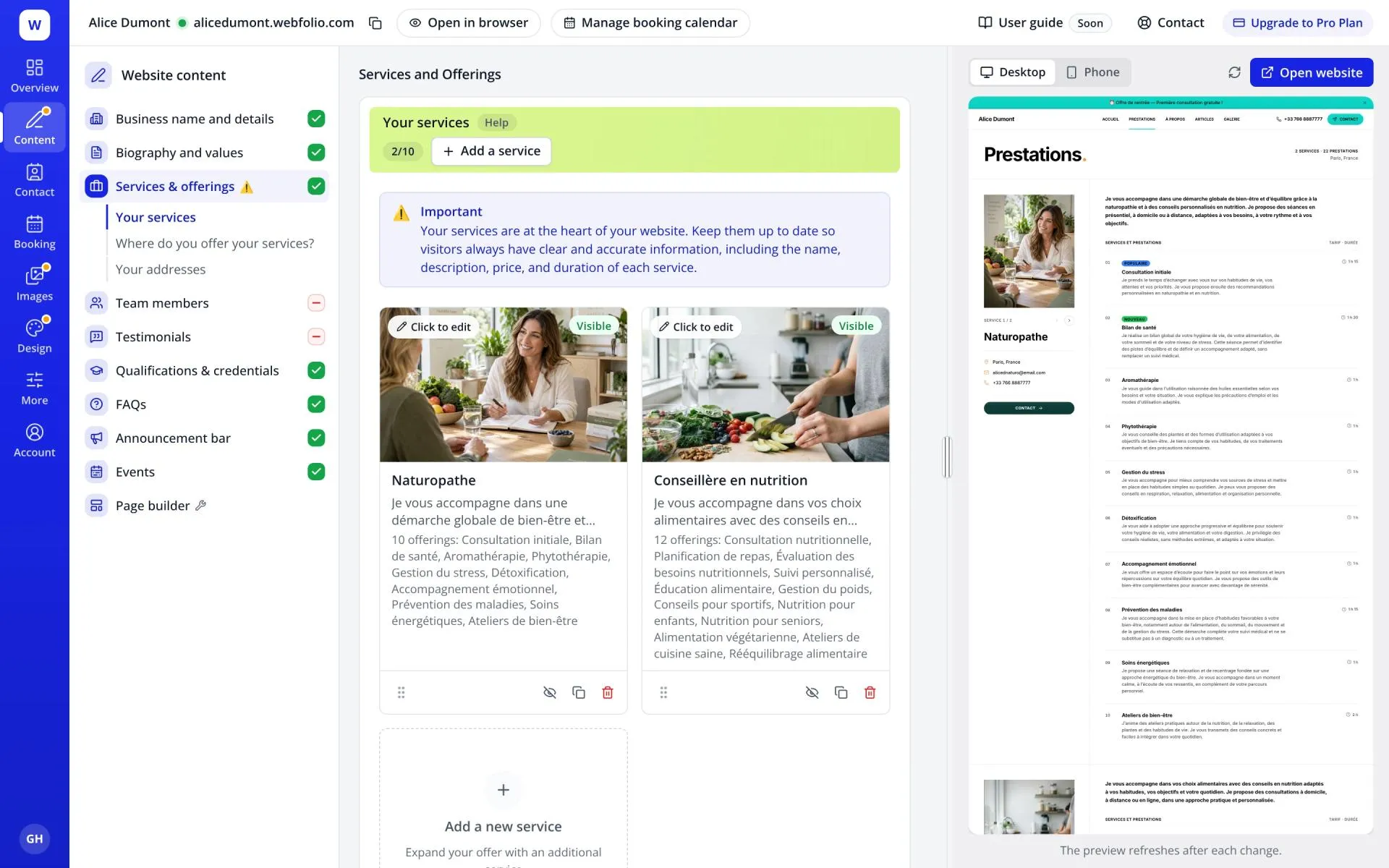
Once you’re live, you stay in control. Adding a service, changing a price, or updating your holiday hours? Open your dashboard on a computer or phone and make the change.
Your website’s structure stays in place while you edit the content. Clear fields guide you, the preview lets you check the result, and AI can help you find the words. You don’t have to rebuild the layout with every update.
Need a hand? A member of our team usually replies within 24 hours.

14-day free trial. No credit card required.
Five pages to showcase your business and help visitors take the next step.
Who are you? What do you offer? How can someone book or get in touch? Your website brings the answers together in clear, easy-to-browse pages.
- 01
Home
Introduce your business from the first few lines and invite visitors to explore your services or book.
- 02
Services
Explain what you offer with descriptions, prices, and durations. Enable online booking for the services you choose.
- 03
About
Help future clients get to know you through your background, experience, and approach.
- 04
Gallery
Show your premises, projects, or work in pictures so visitors can get a feel for your business.
- 05
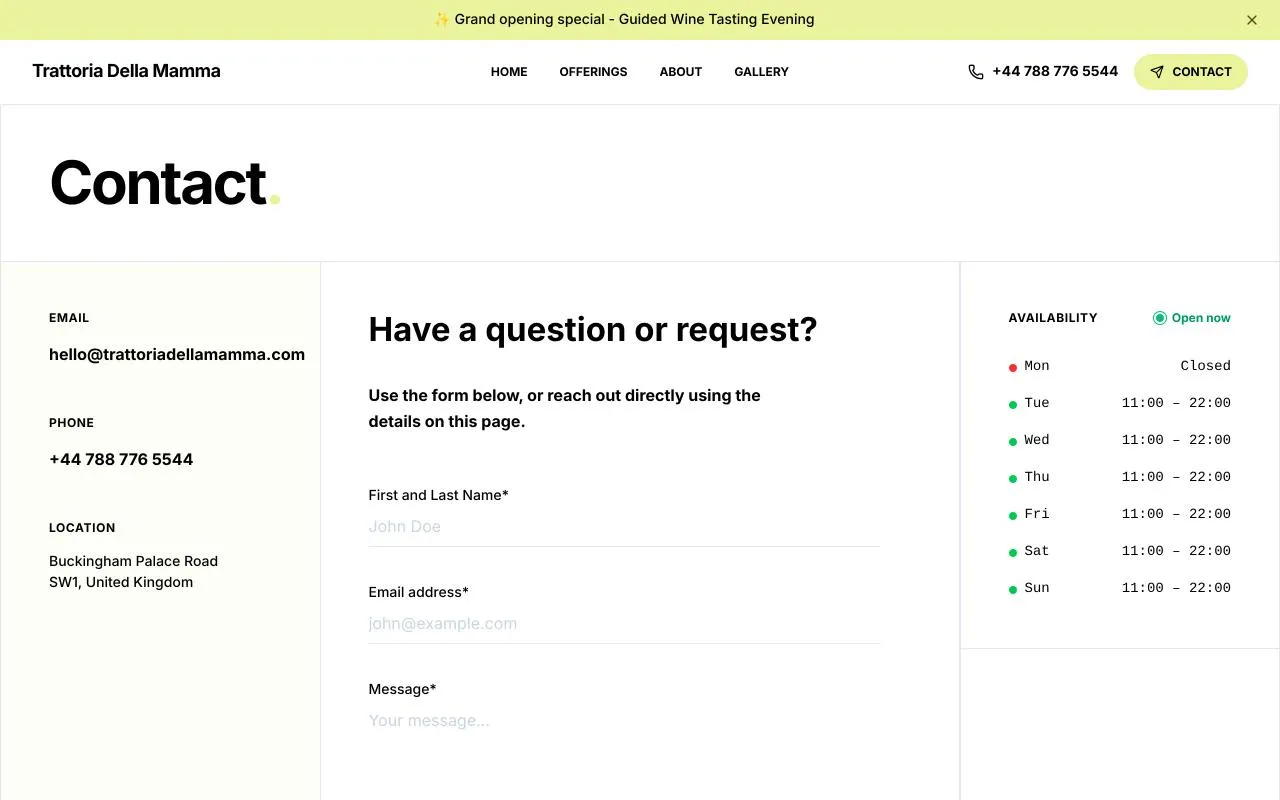
Contact
Make it easy to reach you with your contact details, hours, a map, and a contact form.
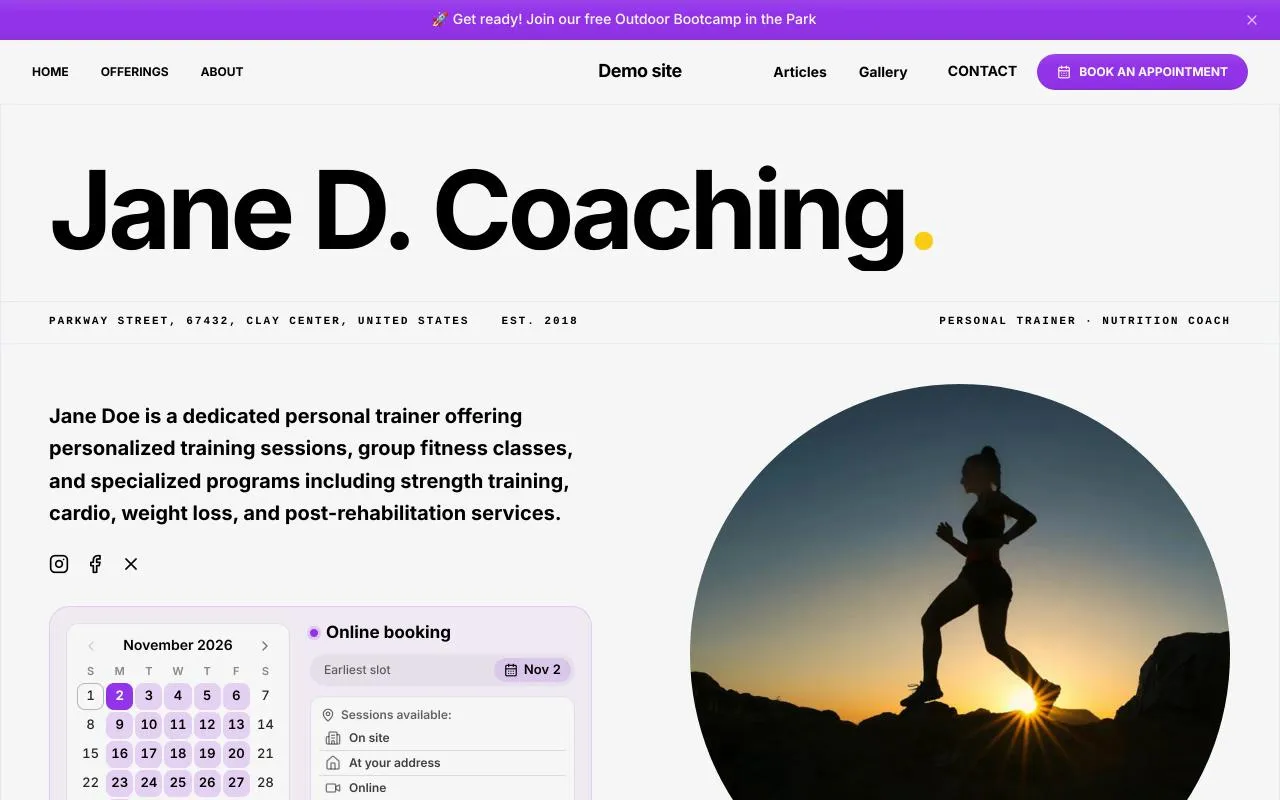
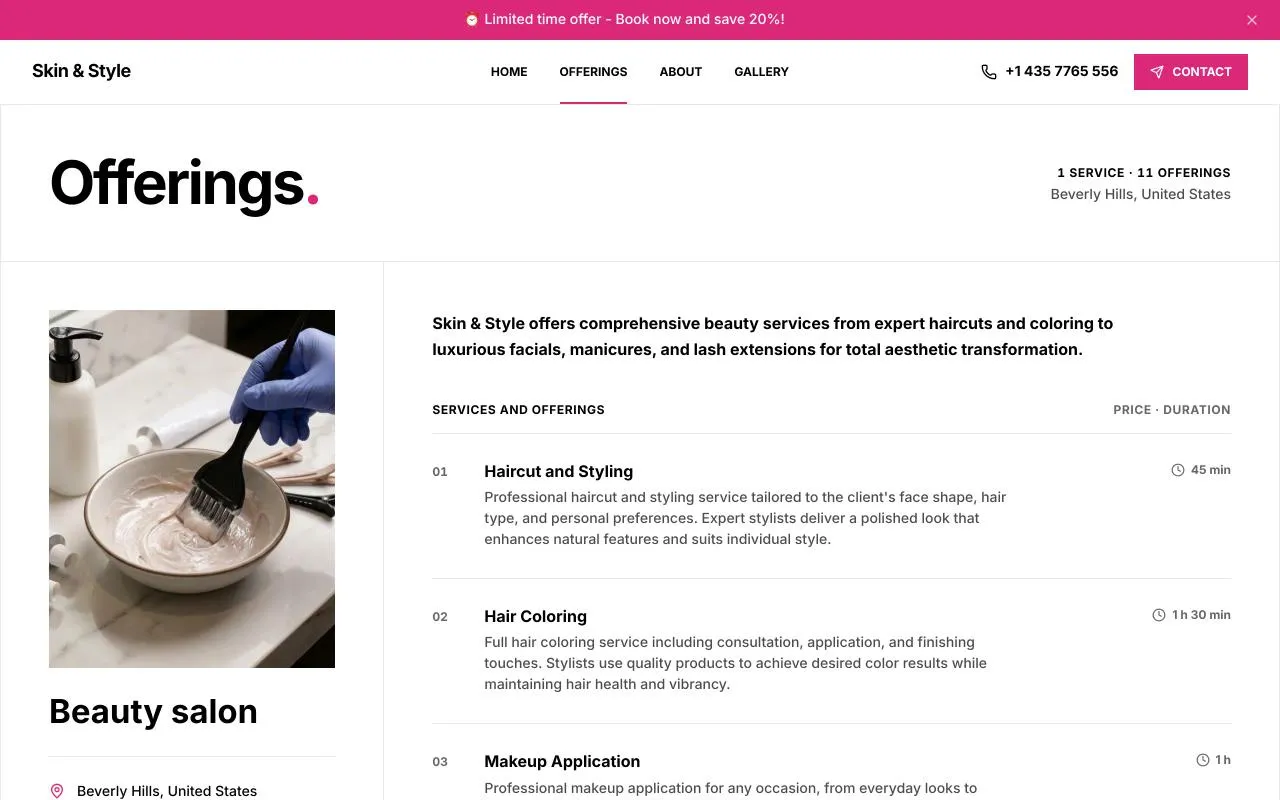
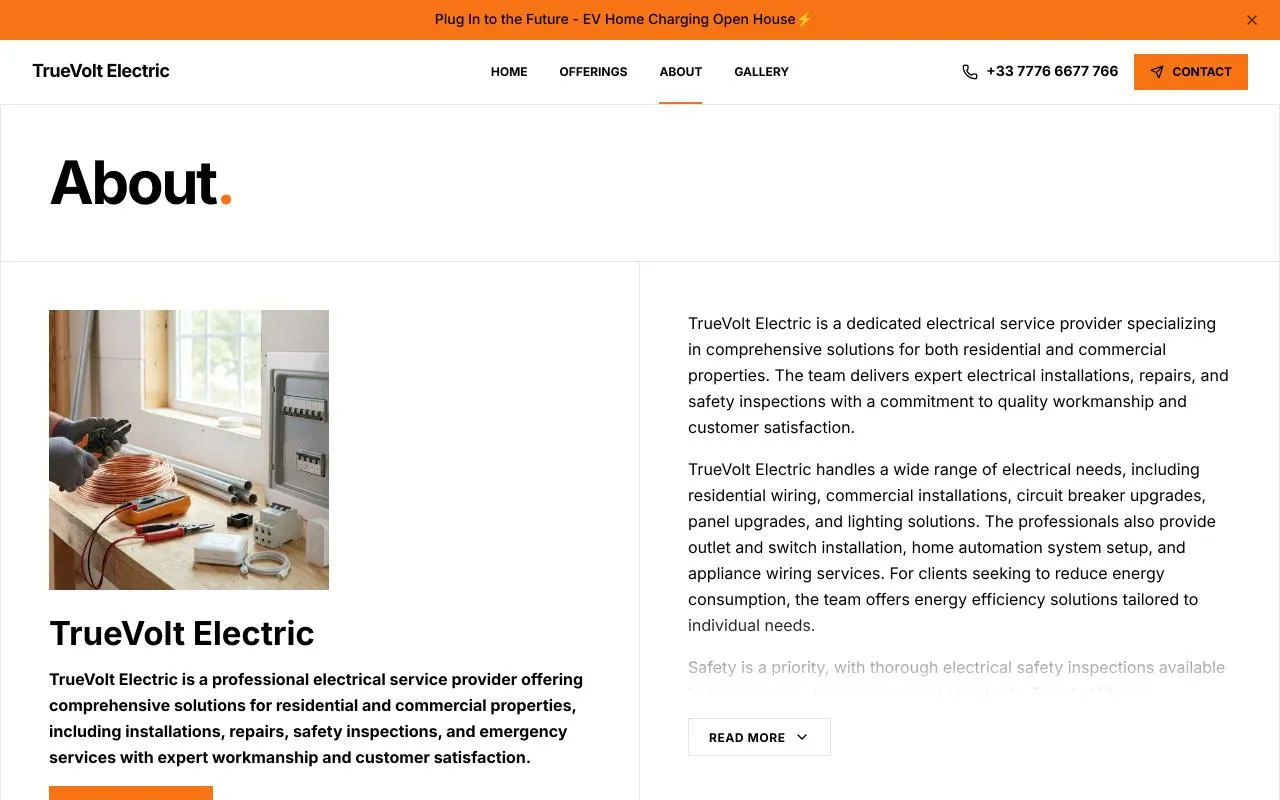
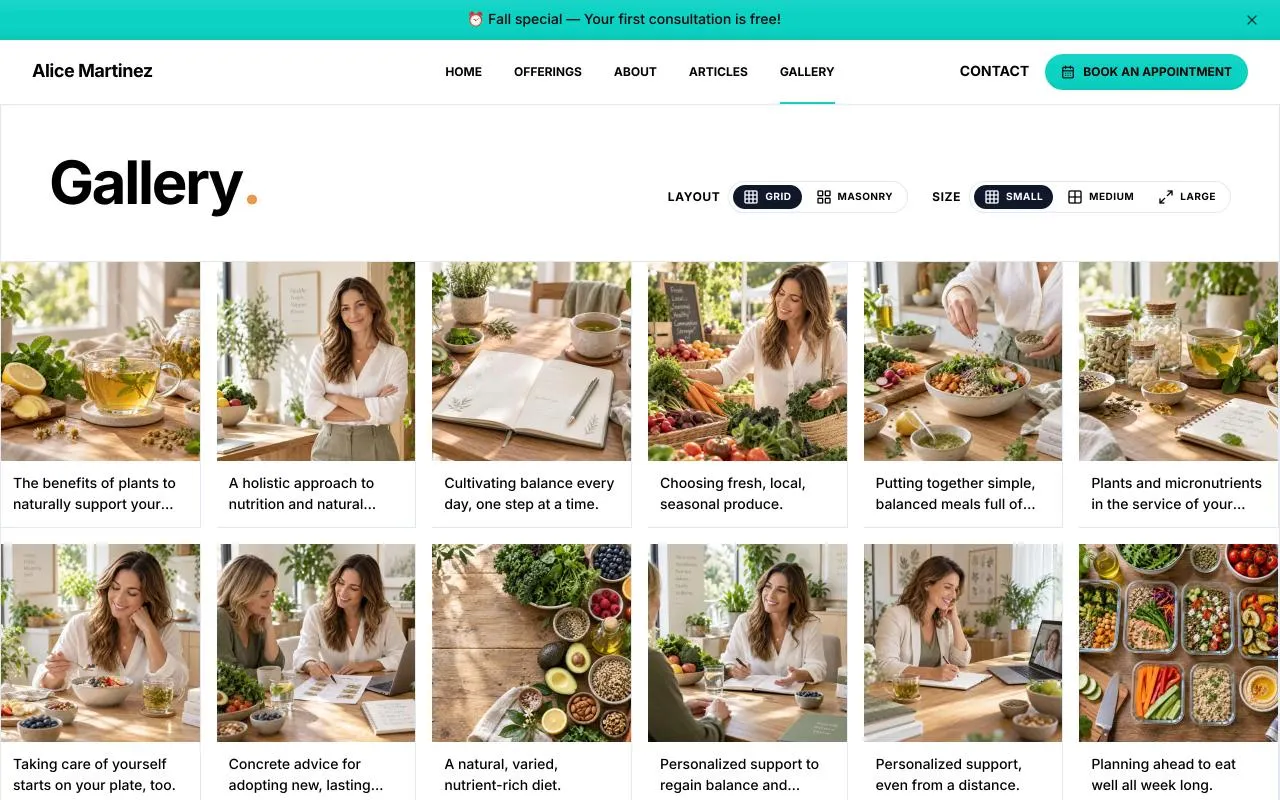
When you have more to share, add articles, resources, or extra pages.
Your business changes. Your website keeps up.
New prices, a workshop to announce, or a photo to replace? Make the updates yourself from your dashboard. Your content and settings are together in one place, so you can keep your website current without hiring someone for every change.
More than just a shop window for your business.
Your website can also take bookings, answer visitors’ questions, and share your latest news. Use the features you need today and add more as your business grows.
- 01
Showcase your services and packages
Explore service listingsGive visitors the details they need to choose: what each service includes, how long it lasts, and what it costs.
- 02
Let clients book online
Explore online bookingClients choose a service and an available time directly on your website. The appointment appears in your calendar, and they receive a confirmation and email reminders.
- 03
Show clients where to find you
One practice, several locations, or visits to clients’ homes? Show your locations, hours, and service areas with a map.
- 04
Let your clients share their experience
Add testimonials from your clients to help new visitors get a feel for your work.
- 05
Answer questions before the first enquiry
Prices, preparation, what to expect, or cancellations: put useful answers in one place to reassure visitors and save yourself repeated explanations.
- 06
Share what’s coming up
Announce a workshop, class, open day, or temporary closure directly on your website.
- 07
Make useful documents easy to find
Visitors can download a brochure, menu, price list, or form without having to ask you for it.
- 08
Share more with a blog and extra pages
Publish advice, explain an offer in detail, or create a resources page. Your website can grow beyond its first five pages.
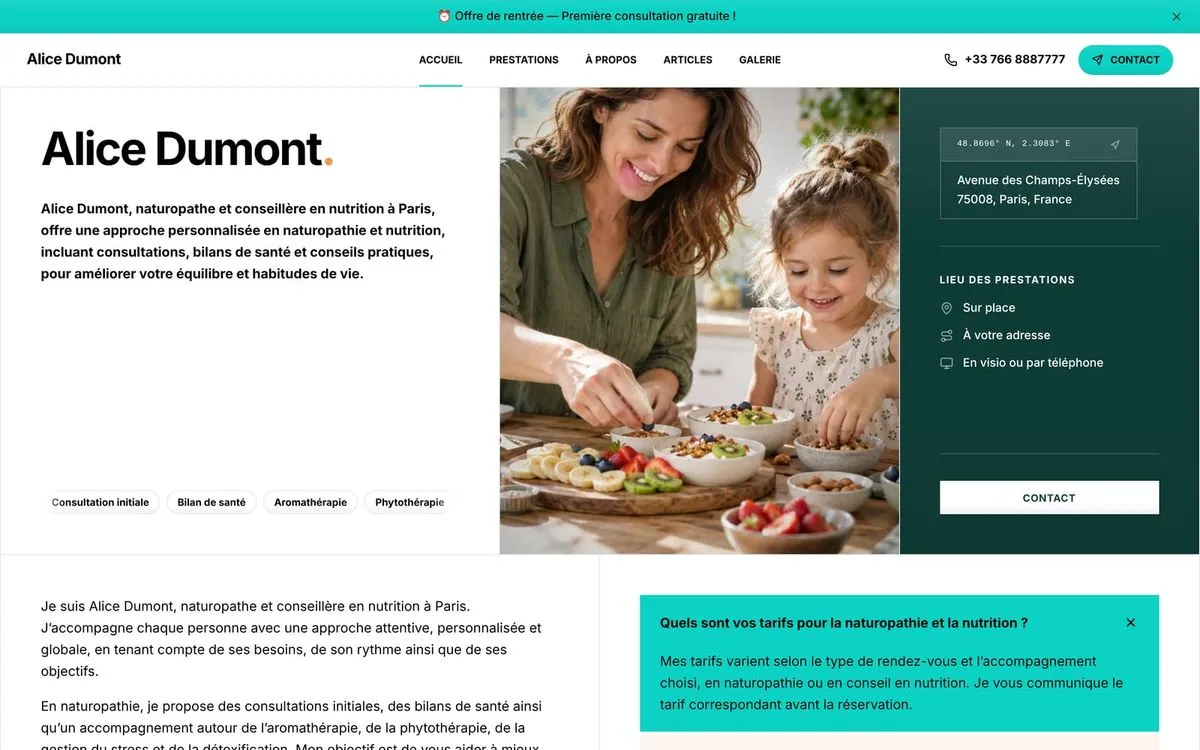
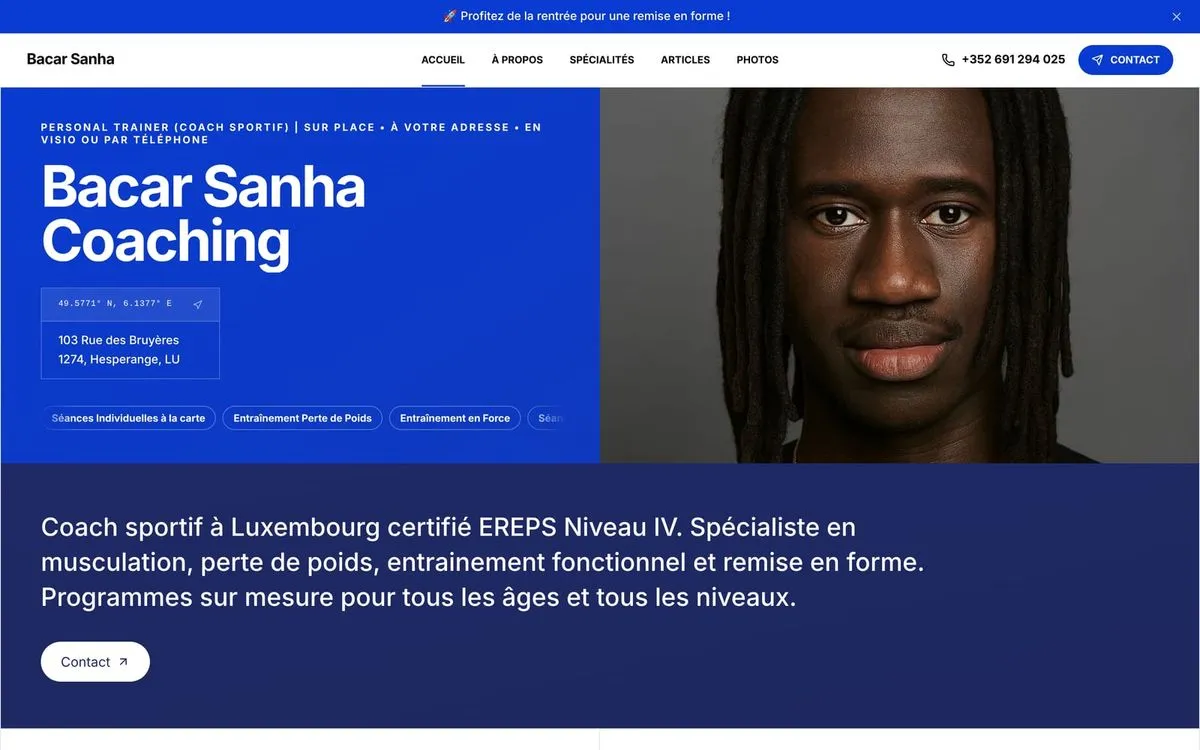
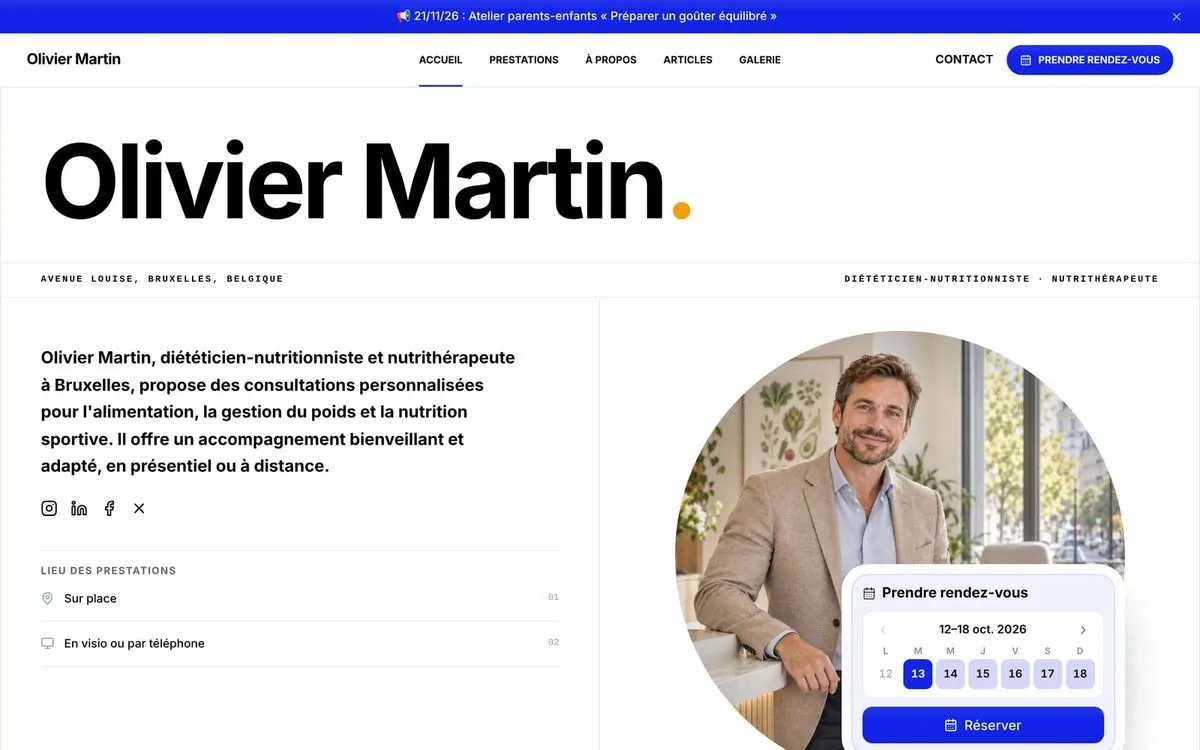
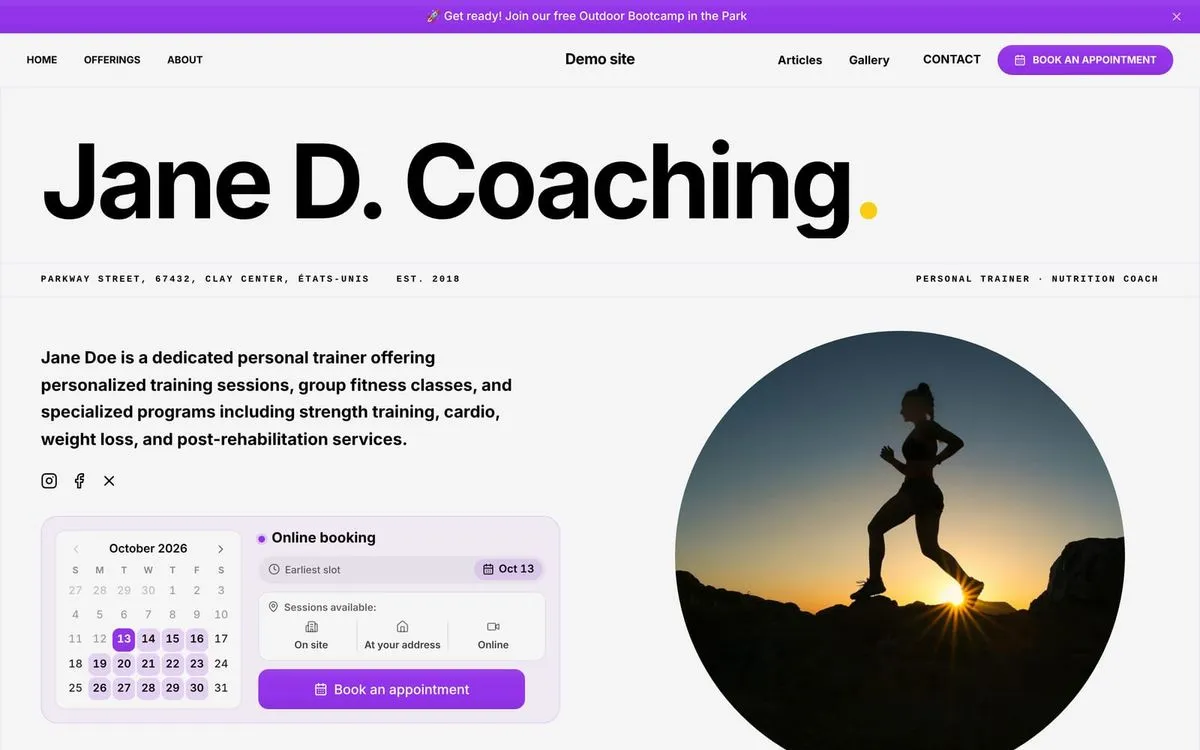
See what you can create with Webfolio.
Explore these websites to see their designs, pages, and service listings, and start picturing your own.
You may be wondering
What do I need to create my website?
Start with your business name, what you do, and your contact details. Webfolio then helps you choose your services and prepare your text. Already have a logo or photos? Add them. Otherwise, start with the suggested illustrations and replace them later. You can fill in the remaining details from your dashboard.
How long does it take to create a website with Webfolio?
It usually takes 10–15 minutes to complete the questionnaire and see a first version of your website. How soon you go live depends on the changes you want to make, such as reviewing the text, confirming prices, or adding photos. Work at your own pace and come back to make updates whenever you like.
Do I have to write all my website content?
No. Using the details you provide, Webfolio’s AI suggests an introduction, service descriptions, and other useful content such as FAQs. You get a starting point to review and personalise with your experience and your own voice. You can also write your own content.
Can I showcase more than one profession on the same website?
Yes. Personal trainer and dietitian, or consultant and trainer? Add your different professions during setup. Webfolio suggests services for each and organises them on one website. You can then refine the descriptions, prices, and durations to show the full range of what you offer.
Can I create my website without coding or design skills?
Yes. Webfolio guides you with simple questions, suggestions, and ready-to-use settings. Choose the colours and images you like, then check the preview. The page structure and hosting are taken care of. You can also update the website yourself after it goes live.
Can I add a blog or extra pages?
Yes. The first five pages give your website its foundation. You can then publish articles, add resources, or create a page explaining a service in more detail. Testimonials, FAQs, events, and downloadable documents can add more useful content too.
Can I use my own domain name?
Yes. Start with an address such as yourbusiness.webfolio.com, then connect your own domain. Hosting and an SSL certificate are included with Webfolio. You pay separately to purchase and renew your domain.
What if I need help?
Email support@webfolio.com and a member of our team will help, whether you’re creating your website or updating a detail. We usually reply within 24 hours.
Your new website starts with a few answers.
Tell us about your business and see the website Webfolio can build for you. Edit the wording, choose your images, and publish when you’re ready.
Try it free for 14 days. No credit card required.